Field-ready mobile reporting and recordkeeping for site supervisors
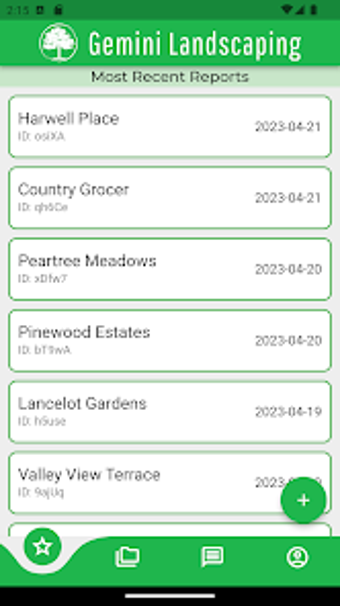
Gemini Mobile, by Travis Pirozzini, digitizes paper site logs for field professionals in landscaping and construction. The app lets teams create on-site reports, keep a dated record of visits, and produce PDF backups for administrative or client records. Key characteristics include offline operation, minimal-entry workflows, and rapid report generation suited to routine site documentation. It targets site supervisors, field technicians, and small business owners who need reliable mobile reporting.
Developer experience gives the app a domain-focused approach
The developer’s background in landscaping and field-service software shapes the app’s narrow scope. The creator of North Arrow Landscapes and HPC Ltd. Mobile designed a purpose-built tool aimed at common on-site routines rather than broad office software, a domain-focused choice that reduces feature bloat. The app runs on Android devices and generally requires Android 7.0 or later for current releases, matching typical business handsets used by crews.
Adoption and privacy signals support practical trust among users
Adoption metrics and store statements speak to real-world use and data handling practices. The app has surpassed 100,000 installs on the Play Store, and the developer’s Play Store data safety declaration notes no collection or third-party sharing of user data. Key indicators:
Over 100,000 downloads on the Play Store
Developer declaration: no user-data collection or sharing
Designed for quick adoption by non-technical crews, not for full project management
The interface and scope prioritise field capture over back-office functions, which keeps training burdens low for crews and supervisors. That trade-off makes the app appropriate for technicians and small teams that separate on-site reporting from scheduling and invoicing. Managers should plan to pair the app with existing office systems if they need consolidated project workflows, since the tool focuses squarely on site documentation.
Best used as the on-site capture component of a broader workflow
The app fits into administrative processes when teams export reports into a central archive or client folder after each visit. Treat it as the daily log and capture tool, then use office software for invoicing, scheduling, and long-term analysis. That division preserves the app’s simplicity while ensuring records are searchable and audit-ready inside a company’s established document storage.
Gemini suits field teams that separate capture from office systems
Gemini is a practical choice for landscaping crews and site supervisors who need compact mobile reporting and reliable archival outputs. The trade-off is its narrow remit and Android-only availability, which restrict cross-platform cohesion for mixed-device teams. For groups that keep capture and back-office duties distinct, the app performs reliably as the field-facing log component within a larger administrative workflow.
Built-in PDF export produces shareable, print-ready reports
Offline-capable design supports variable field connectivity
Cons
Android-only availability limits cross-platform teams
Narrow scope excludes scheduling and invoicing features
Requires Android 7.0 or later for current releases
Loading…
About permissions
Before downloading, you can take a quick look at the permissions this app may request on your device. App permissions allow certain features to work properly, such as accessing your camera to take photos, your location for maps, or your storage to save files.
In this section, you’ll find a clear and simple overview of the types of permissions the app uses, grouped by their level of sensitivity, along with a visual breakdown to help you understand them at a glance. This way, you can see how the app interacts with your device and decide to download with confidence.
Permissions types
Standard
80%
Sensitive
20%
Permissions distribution
Privacy
40%
Data collected
20%
Data shared
40%
Data safety info
Privacy
2 permissions
Permissions that allow the app to access personal or sensitive information stored on your device, such as location, contacts, camera, or microphone.
android.permission.WAKE_LOCK
Standard
android.permission.VIBRATE
Standard
Data collected
1 permissions
Information the app may gather from your device or usage activity to enable features, personalize content, and improve overall performance.
android.permission.ACCESS_NETWORK_STATE
Standard
Data shared
2 permissions
Information that may be shared with trusted third parties to provide services, support app functionality, or deliver relevant content.
android.permission.INTERNET
Standard
android.permission.POST_NOTIFICATIONS
Sensitive
This report summarises the permissions declared by the app at the time of scanning and groups them into Privacy, Data collected and Data shared. A declared permission shows what the app can access, it does not necessarily mean personal data is collected or transmitted. For full details check the app’s privacy policy and the developer’s clarifications shown below. Softonic generates this report automatically from the package metadata; it is informational and not a substitute for a full security or privacy audit.
Laws concerning the use of this software vary from country to country. We do not encourage or condone the use of this program if it is in violation of these laws. Softonic may receive a referral fee if you click or buy any of the products featured here.